BinBin Scooter App Experience Design Project
We started the BinBin Scooter app project with research. Our research included fieldwork with users, netnography, and benchmarking. Customer goals and, as a result of the research findings, we clarified the design decisions.

STRATEGY WORKSHOP
Goals & Opportunities
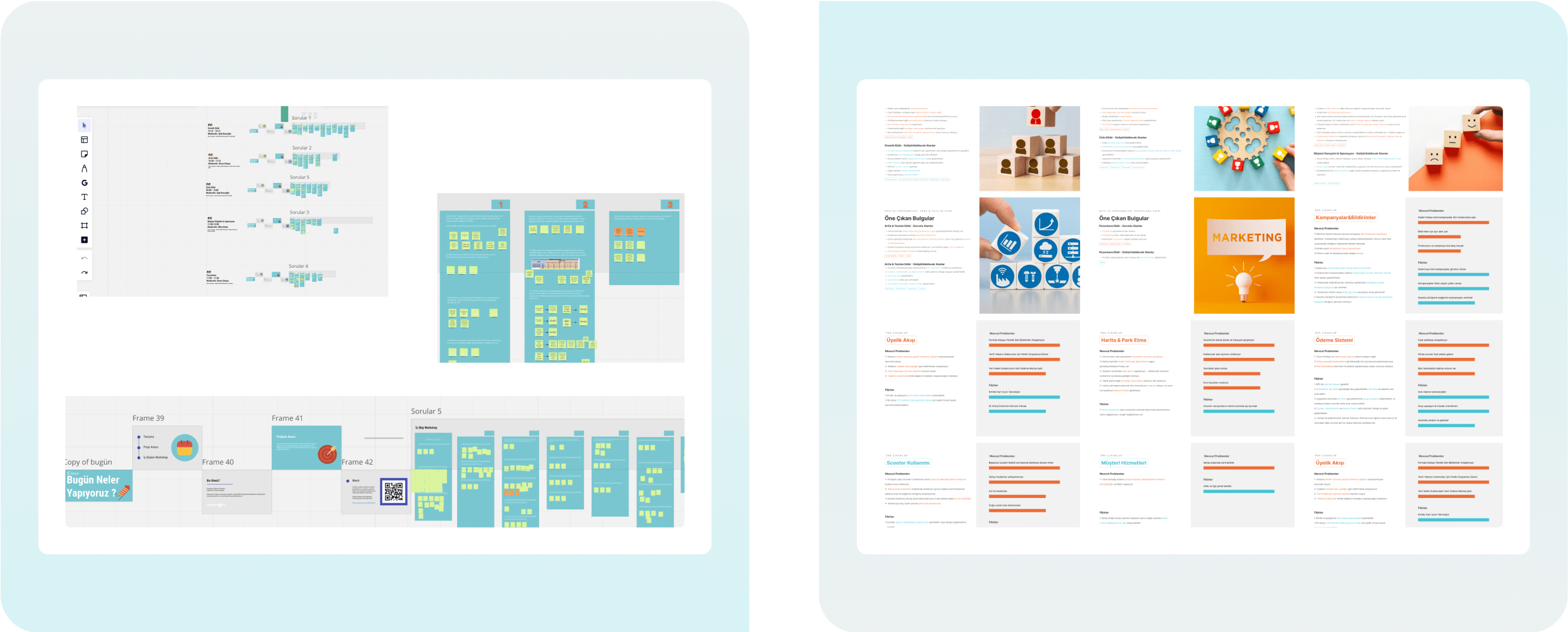
Before moving on to detailed UX research, we held separate kick-off workshops with five teams. In these workshops, each team had different user experience ideas and problems that they focused on. We divided the main ideas and issues into tags and analyzed them in detail. These analyses clarified criteria such as the idea's feasibility, technical constraints, and schedule.
ALL TEAM INTERVIEWS SUMMARY
Interface Specific Problems

1-Map (UX&UI)
· The scooter and menu do not separate.
· No visualization is suitable for multiple-vehicle displays.
· Icons are out of proportion on map zooms.
2-Field Separation is not understood
· Users need to learn what the colors of the map mean.
· They can park and drive in the wrong and dangerous places.
3-Scooter Information Not Clear
· Distance and time information needs to be explained better.
· Battery status needs to be clarified on the map.
4-Price Policy Not Understandable
· Since the pricing cannot be seen while riding, it is expensive afterward.
Experience Specific Problems

1- Scooter Usage
Failure to transmit an error at the right moment and sudden deceleration (Incorrect Use)
2-Ride Modes
Users need to learn what the riding modes mean and when to use them.
3-Delivery Flow is Mixed
There are penalties for not locking correctly and not taking the right photo at the end of the ride, but these penalties are not visible enough to users.
4-Payment Complicated
· Continue payment after unsuccessful scooter delivery.
· Some users can upload an inappropriate photo as a final photo. As a result, a penalty is deducted from their wallets. The rules and terms of use must be transferred to the user.
Featured Ideas

1- User Rewards
Rewards can be developed for scenarios that benefit BinBin, such as reporting scooter malfunctions.
2- Group Riding Arrangements
Activation of scenarios such as booking rides for friends.
3- Subscription System & Packages
· Weekly/monthly packages can be offered.
· Additional packages/services can be sold to the ride.
4- Product-Specific Improvements
· Voice commands can be developed specifically for the product.
· The area to put the phone can be designed.
· Access to defective vehicles should be closed entirely.
FIELD STUDIES
Tasks Expected from Users in Interview Scenarios
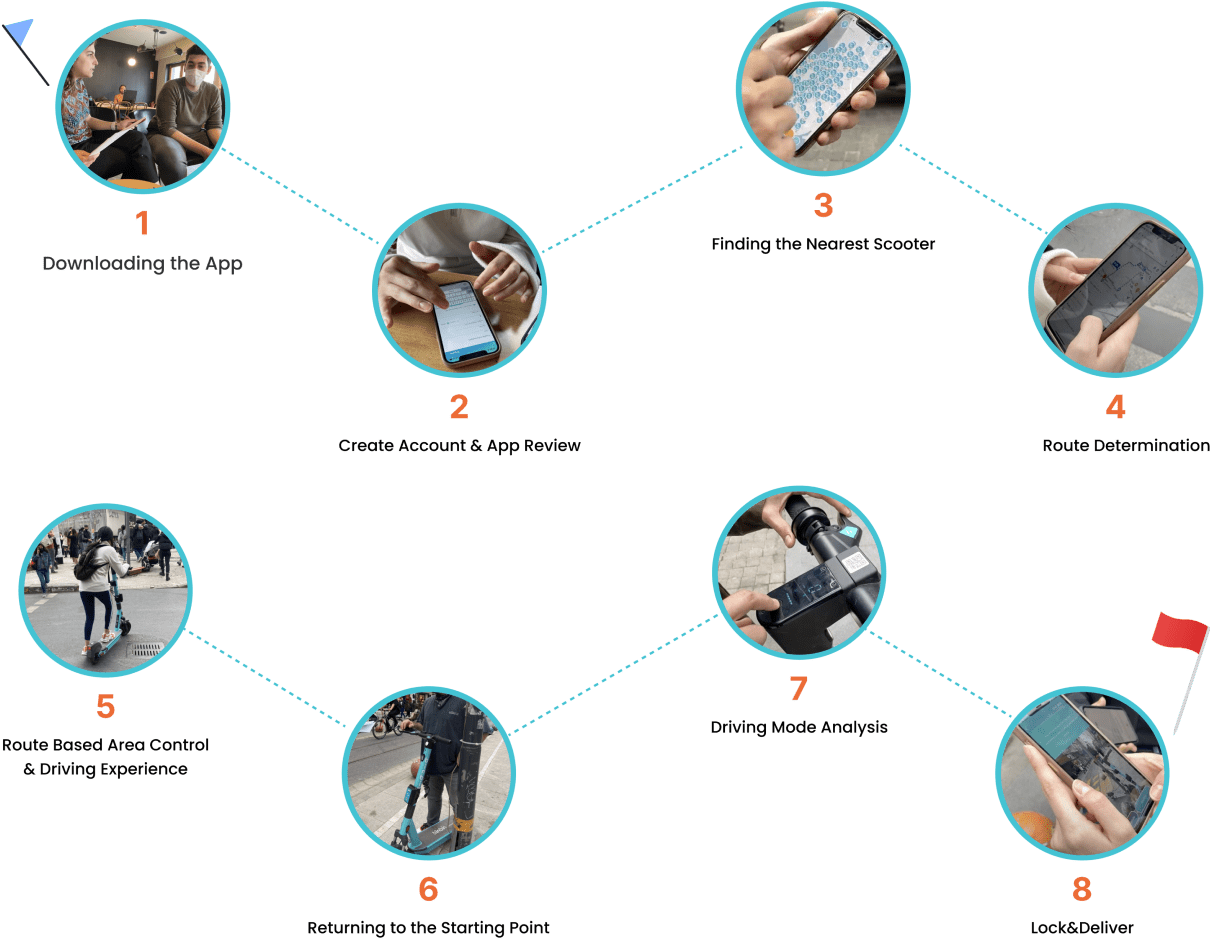
We have observed the general usage habits and expectations by assigning specific tasks to users.
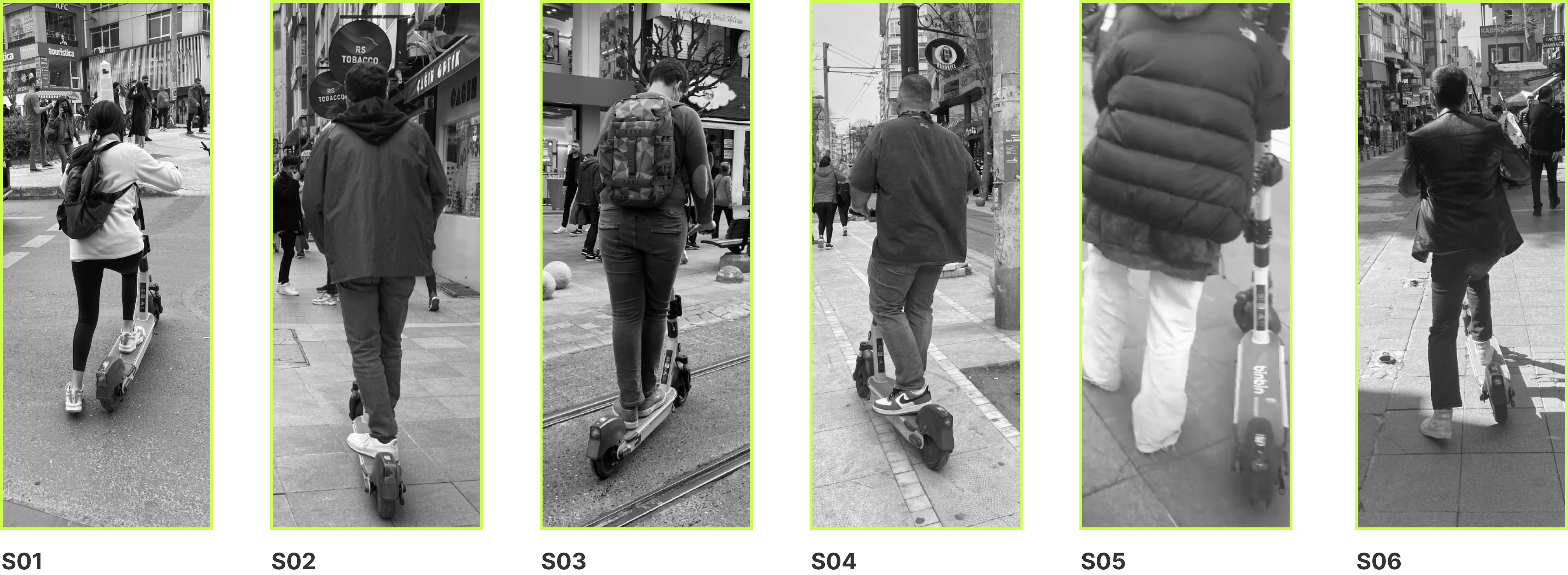
We conducted field research with six participants. (Two women and four men in the 18-30 age group)
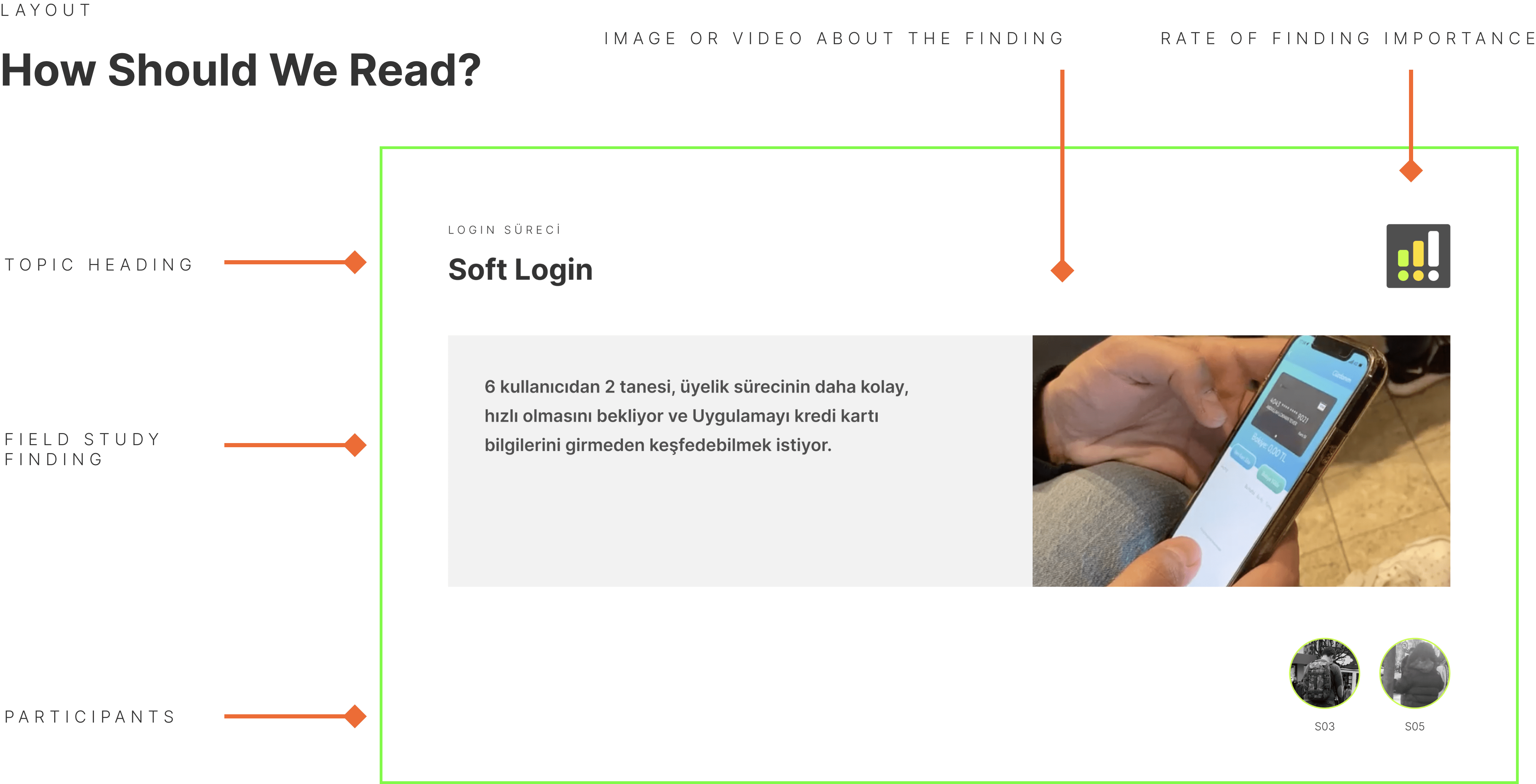
After completing the finding analysis of the field study in excel, we presented it in this way depending on the level of importance.
Field Study Finding Summary
· Users expect the subscription process to be faster.
· They want to see the BinBin scooter separation clearly on the map.
· Users needed to understand what the scooter percent charge display meant entirely.
· Users needed a step like a control screen during the task.
· They hoped to cut pricing based on breaks between rides.
· Users are required to understand the campaigns and promotional code setup.
· They were not able to successfully use the riding mode.
DESIGNS
Map
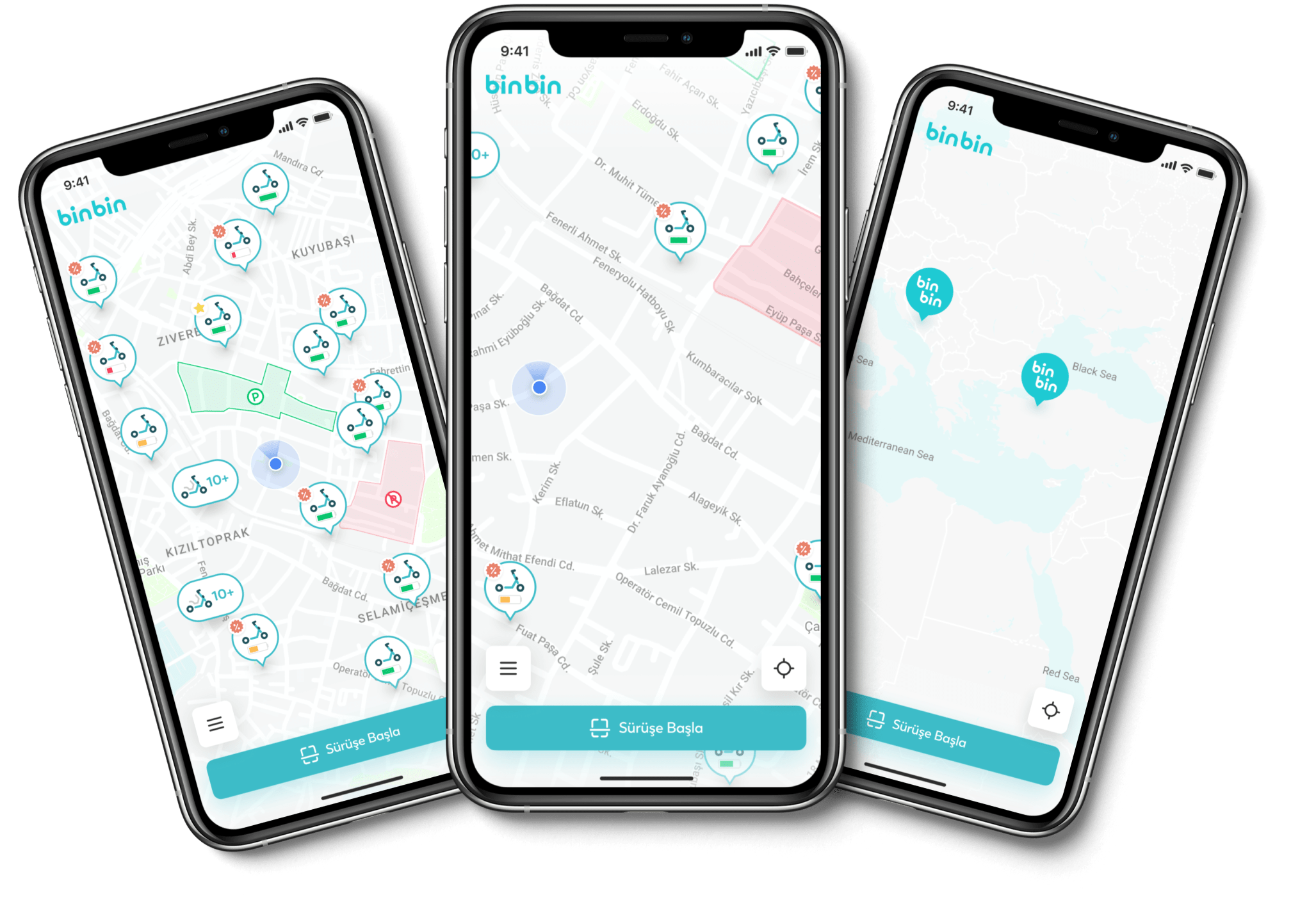
The pin views will change depending on the different scale views on the map.
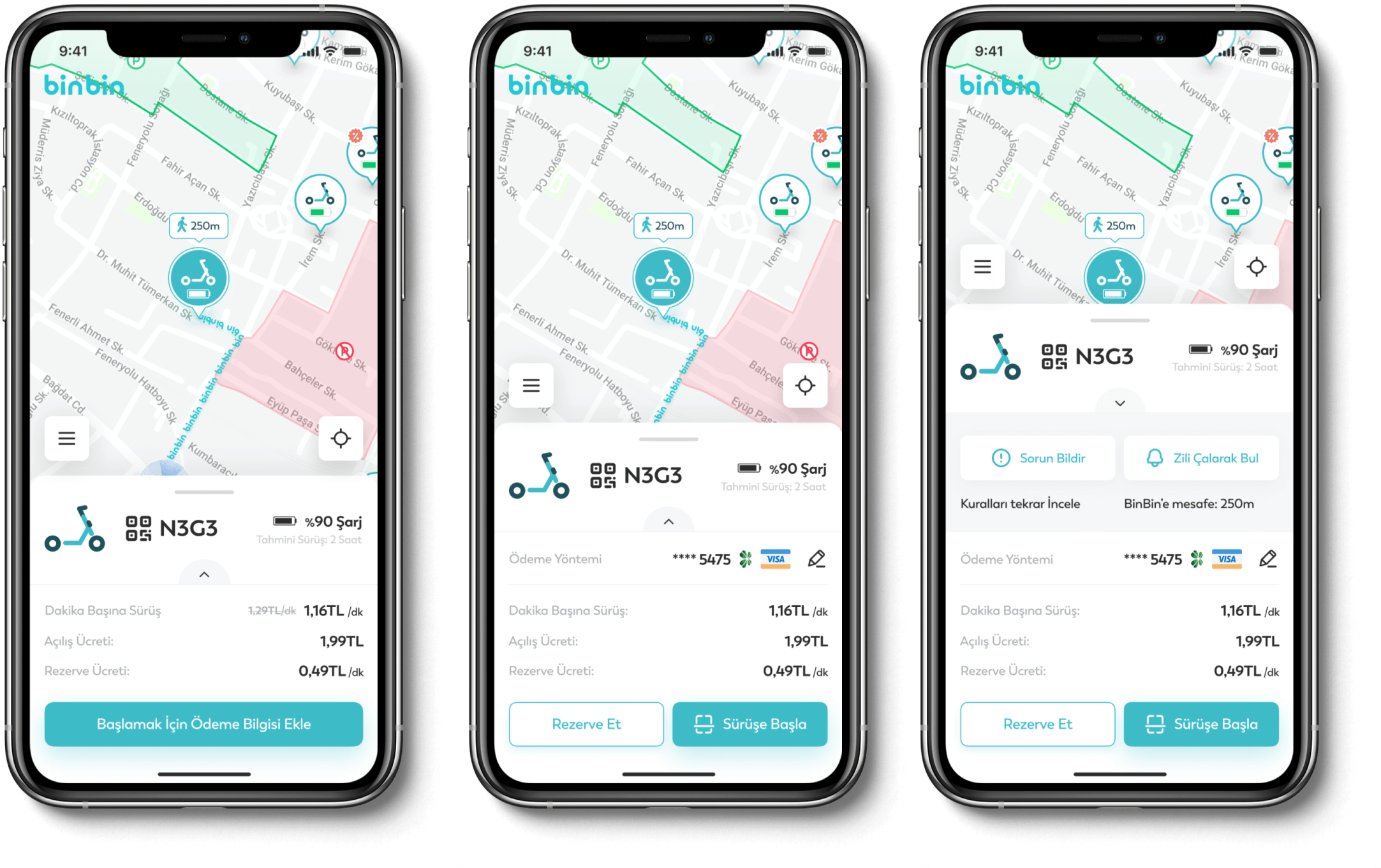
We show the map to the user without requiring payment information at login. If the user wants to take a rental action after viewing scooters close to his location, the main button he sees is "add payment information to get started."
After adding a payment method, two buttons appear: ''Reserve'' and ''Start Riding''. We added the "show more" section to the scooter information, which includes two actions of secondary importance, such as reporting a problem and finding the scooter by ringing the bell.

BinBin wanted to show special seasonal discounts on scooter pins. Apart from discounted scooters, we decided to select the nearest pin as the recommended scooter as soon as the user enters the application.

Highlighting BinBin collaborations on the map in the competitive scooter market was one of the crucial points expected in the project. We have worked out such a flow to show users the campaigns they can take advantage of, make their choice, and edit the selection.
DESIGNS
Riding Starts

After scanning the QR to get started, we added a control screen based on our fieldwork findings. Users could not discover riding mode because they could not communicate between the physical product and the app. They could not achieve the desired performance because they did not choose the appropriate riding mode. Before we started, we added a reminder to set the riding mode with all the information. In addition, a reminder to turn on the headlights has been added for the evening hours.
DESIGNS
While Riding

We aimed to hierarchically separate the scooter information from the secondary information while riding, so we positioned the numbers more conspicuously. At the same time, notifications support riding, discounted or prohibited areas on the map.
Instant access to help can be provided with the darker tertiary button depending on the negative experiences that may be experienced while riding.
DESIGNS
Riding Ends

After the ride, different package suggestions depending on the subscription package the user is included in, are given after the ride summary.
We have designed posters for users to share their instant rides or monthly/yearly ride details on social media.
DESIGNS
Wallet

Users can arrange payment methods on the wallet homepage and reach all payment transactions. Under the BinBin wallet balance card, you can see three quick actions are related. Such as load balance, send balance, and enter code.
DESIGNS
Wireframes